1. Add JPG files
Drag your JPG images onto the upload area or click to browse. No limit on the number of files.
Convert JPG photos to lossless PNG format. Add files, convert instantly, and download. Runs entirely in your browser - files never leave your device.
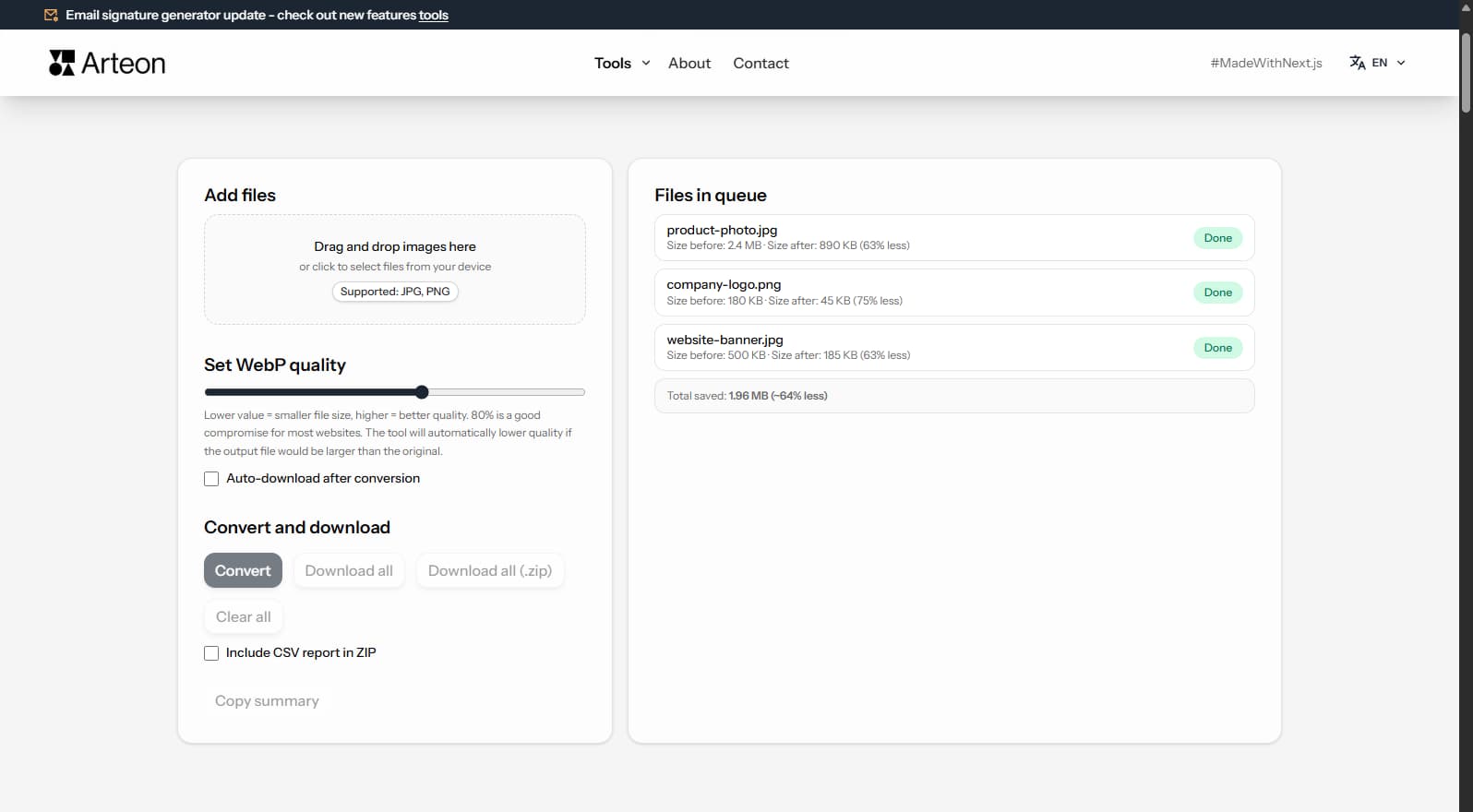
JPG (JPEG) is a lossy format optimised for photographs. Every time a JPG file is re-saved, the image loses a small amount of detail due to lossy compression. PNG, on the other hand, uses lossless compression - no data is discarded, so the image remains pixel-perfect.
Converting JPG to PNG is useful when you need to edit an image further without accumulating compression artefacts, when a platform requires PNG uploads, or when you want to add transparency later in a graphics editor.
Keep in mind that converting a JPG to PNG does not restore detail already lost during the original JPG compression. The resulting PNG will be a faithful, lossless copy of the JPG - but at a larger file size.
This tool processes everything locally in your browser. Your images are never uploaded to any server.
Three simple steps:
Common use cases for JPG-to-PNG conversion:
| Feature | JPG | PNG |
|---|---|---|
| Lossy compression | ✓ | — |
| Lossless compression | — | ✓ |
| Transparency (alpha channel) | — | ✓ |
| Animation support | — | — |
| Web browser support | All browsers | All browsers |
| Color depth | 8-bit (16.7M) | 8/16-bit |
| Compact file size | ✓ | — |
| Metadata (EXIF) | ✓ | — |
Core Web Vitals is a set of performance metrics Google uses when evaluating websites. One of them - LCP (Largest Contentful Paint) - measures the time it takes for the largest visible element to appear on screen. On many pages, that element is an image.
Converting JPG images to PNG reduces graphic file sizes, which directly shortens resource download time and improves the LCP score. Smaller files mean faster page loading - especially important on mobile devices with slower connections. Additional techniques like loading="lazy" and fetchpriority="high" speed up rendering.
Tools like PageSpeed Insights and Lighthouse identify specific files worth optimizing.
A few tips to help you avoid common issues during conversion:
Savings depend on the source file type and its original compression. Below are example results:
Camera photo
2.4 MB → 890 KB
Product image
500 KB → 185 KB
Screenshot / banner
350 KB → 230 KB
Actual savings may vary depending on image content and quality settings. The converter shows the exact size before and after conversion for each file.
No. PNG is lossless, but it cannot restore detail already discarded by JPG compression. The resulting PNG is a pixel-perfect copy of the JPG - just stored in a lossless container.
PNG uses lossless compression, which preserves every pixel. JPG achieves smaller sizes by discarding data. So the same image in PNG will almost always be larger.
Yes. There is no file limit. Add as many JPGs as you like and convert them all in a single batch.
No. Everything runs locally in your browser. Files never leave your device.
No. JPG does not contain transparency data, so the PNG will have a solid (white) background. You can add transparency later using a graphics editor.
Yes, but we recommend a laptop or desktop for the best experience. The converter uses the HTML5 Canvas API supported by all modern browsers.
Individual files up to 100 MB are supported. There is no cap on the total number of files per session.
Absolutely. Use our <a href="/en/tools/png-to-jpg-converter">PNG to JPG converter</a> to switch back at any time.
Have an idea for a new feature, found a bug, or want to suggest another tool? Drop us a message - we respond within 24 hours.

Resize, crop and convert your image. Ready-made formats for social media, circular avatars, export to JPG/PNG/WebP.

Check title and description length in pixels. Live Google preview and optimization tips.
Convert PNG files to JPG in your browser. No file limits, no signup, no server uploads.

Create a complete favicon.ico set for your website from one image. All required sizes, no login.

Generate 9 palettes from one color: monochromatic, complementary, triadic and more. HEX codes.
Convert WebP files to universally compatible JPG. Works in every app and platform.

Check text and background contrast per WCAG 2.1 AA and AAA. Automatic color correction.

Create a QR code for a website, vCard business card or print. Export PNG and SVG, no registration.

Count words, characters, sentences and reading time. Check readability with the Flesch-Kincaid score.