Töltse fel a AVIF fájlt
Húzza a AVIF fájlt a konverterre, vagy kattintson a tallózáshoz.
AVIF fájlok konvertálása TIFF formátumba. Ingyenes, privát, korlátlan.
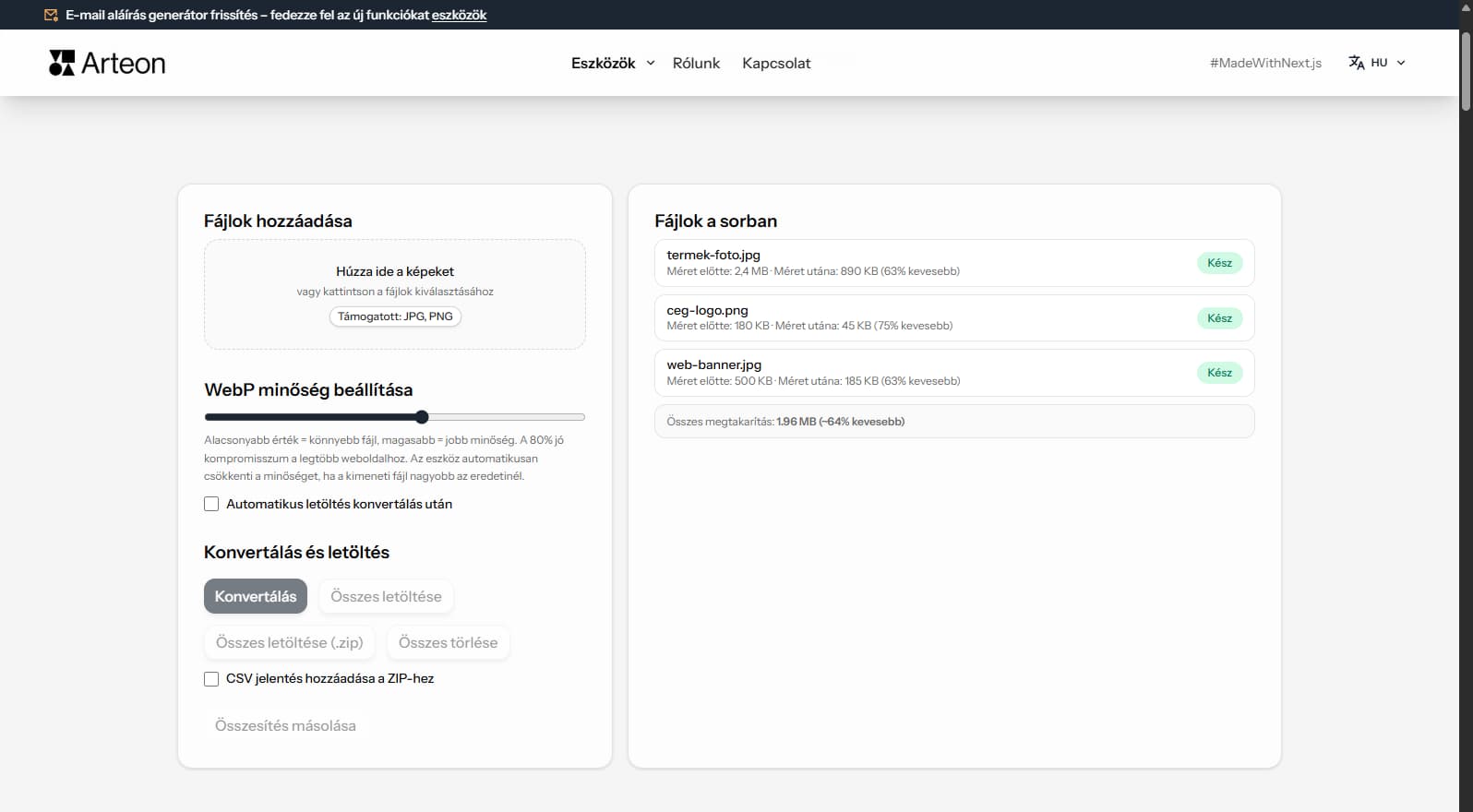
A AVIF szeles korben hasznalt fajlformatum nagy kompatibilitassal. A felhasznalasi esettol fuggoen a TIFF formaba torteno konvertalas jelentos elonyoket kinaalhat - kisebb fajlok, jobb minoseg vagy szelessbb platformtamogatas.
Ez az ingyenes konvertalo kozvetlenul a bongeszoben alakitja at a AVIF fajlokat TIFF formatumba. Semmilyen fajl nem kerul feltoltesre - az egesz folyamat helyben tortenik az Onn eszkozeen.
Konvertaljon annyi fajlt, amennyit szeretne, napi limit, regisztracio es vizjel nelkul. Huzza be a fajlokat, allitsa be a minoseg, es toltse le az eredmenyeket.
| Funkció | AVIF | TIFF |
|---|---|---|
| Veszteséges tömörítés | ✓ | — |
| Veszteségmentes tömörítés | ✓ | ✓ |
| Átlátszóság (alfa csatorna) | ✓ | ✓ |
| Animáció támogatás | ✓ | — |
| Böngészőtámogatás | Chrome 85+, Firefox 93+, Edge 85+, Safari 16.4+ | Csak Safari |
| Színmélység | 8/10/12-bit, HDR | 8/16/32-bit |
| Kis fájlméret | ✓ | — |
| Metaadatok (EXIF) | ✓ | ✓ |
A megtakaritas a forras tipusatol es tomoritesitol fugg:
Fenykep
2.4 MB → 890 KB
Termekkep
500 KB → 185 KB
Kepernykep / banner
350 KB → 230 KB
A tenyleges megtakaritas valtozhat tartalom es beallitasok szerint.
Tippek a gyakori problemaak elkerulesere:
Tippek a gyakori problemaak elkerulesere:
Tippek a gyakori problemaak elkerulesere:
AVIF uses lossy compression while TIFF is a lossless format. The conversion preserves the pixel data from the decoded AVIF exactly as-is in the TIFF output. No additional quality loss occurs during conversion.
TIFF files will be significantly larger than the AVIF originals — this is expected. A 200 KB AVIF file may become 15–25 MB in TIFF because TIFF stores every pixel without compression (or with lossless LZW compression).
For the best results, use high-quality AVIF source files. If the original AVIF was heavily compressed, the quality limitations will carry over to the TIFF output. TIFF cannot recover detail that was lost during AVIF compression.
TIFF is designed for print and archival workflows. If your images are intended for web delivery, social media, or digital-only use, AVIF is the better choice — files are dramatically smaller and load faster in browsers.
Convert to TIFF only when the target system specifically requires it: offset printing, desktop publishing (InDesign, QuarkXPress), medical imaging software, or professional photo archival systems. For general editing, PNG is a lighter lossless alternative.
If you need to share images digitally while maintaining quality, consider WebP or PNG as intermediate formats. TIFF should be reserved for professional print workflows where its CMYK support and ICC profiles are needed.
Igen, ez a konverter teljesen ingyenes és korlátlan. Nincs regisztráció, nincs vízjel.
Nem. Minden feldolgozás helyben történik a böngészőben. A fájlok soha nem hagyják el az eszközét.
Igen, a konverter támogatja a kötegelt konverziót.
Igen, minden modern böngészővel rendelkező eszközön működik.
Igen. Minden helyben tortenik a bongeszoben Canvas API-val. Semmi nem kerul szerverre.
Igen. Kotegelt konvertalas limit nelkul. Huzza a fajlokat a konvertalora.
TIFF-t a Chrome, Firefox, Safari, Edge es Opera tamogatja.
Van ötlete, hibát talált vagy javaslatot szeretne tenni? Írjon nekünk – 24 órán belül válaszolunk.

Méretezze át, vágja ki és konvertálja képét. Kész formátumok közösségi médiához, kör alakú avatarok, export JPG/PNG/WebP.

Ellenőrizze a cím és leírás hosszát pixelben. Élő Google-előnézet és optimalizálási tippek.
PNG fájlok konvertálása JPG-re a böngészőben. Korlátlan, regisztráció nélkül.

Hozzon létre teljes favicon.ico készletet weboldalához egyetlen képből. Minden szükséges méret, bejelentkezés nélkül.

Generáljon 9 palettát egy színből: monokromatikus, komplementer, triádikus és más. HEX kódok.

Ellenőrizze a szöveg és háttér kontrasztját a WCAG 2.1 AA és AAA szerint. Automatikus színkorrekció.

Hozzon létre QR-kódot weboldalhoz, vCard-névjegyhez vagy nyomtatáshoz. Export PNG és SVG, regisztráció nélkül.

Számolja meg a szavakat, karaktereket, mondatokat és az olvasási időt. Változtassa meg a betűméretet és formázza a szöveget egy kattintással.