Ladda upp din WebP-fil
Dra din WebP-fil till konverteraren eller klicka för att bläddra.
Konvertera WebP-bilder till PDF-dokument. Kombinera flera filer till en PDF. Gratis.
WebP ar ett brett anvant filformat med stor kompatibilitet. Beroende pa anvandningsfallet kan konvertering till PDF erbjuda betydande fordelar - mindre filer, battre kvalitet eller bredare plattformsstod.
Denna gratis onlinekonverterare omvandlar dina WebP-filer till PDF-format direkt i webblasaren. Inga filer laddas upp - hela processen sker lokalt pa din enhet.
Konvertera sa manga filer du vill utan dagliga begransningar, utan registrering och utan vattenstamplar. Dra och slapp filer, justera kvaliteten och ladda ner resultaten.
| Funktion | WebP | |
|---|---|---|
| Förlustrik komprimering | ✓ | — |
| Förlustfri komprimering | ✓ | ✓ |
| Transparens (alfakanal) | ✓ | ✓ |
| Animationsstöd | ✓ | — |
| Webbläsarstöd | Chrome 32+, Firefox 65+, Edge 18+, Safari 14+ | Inbyggd PDF-visare |
| Kompakt filstorlek | ✓ | — |
| Metadata (EXIF) | ✓ | — |
Reglagen 60%-95%. Hogre = battre kvalitet men storre filer.
Vid 85% ar skillnaden mellan WebP och PDF praktiskt taget omarkbar.
Tips for att undvika vanliga problem:
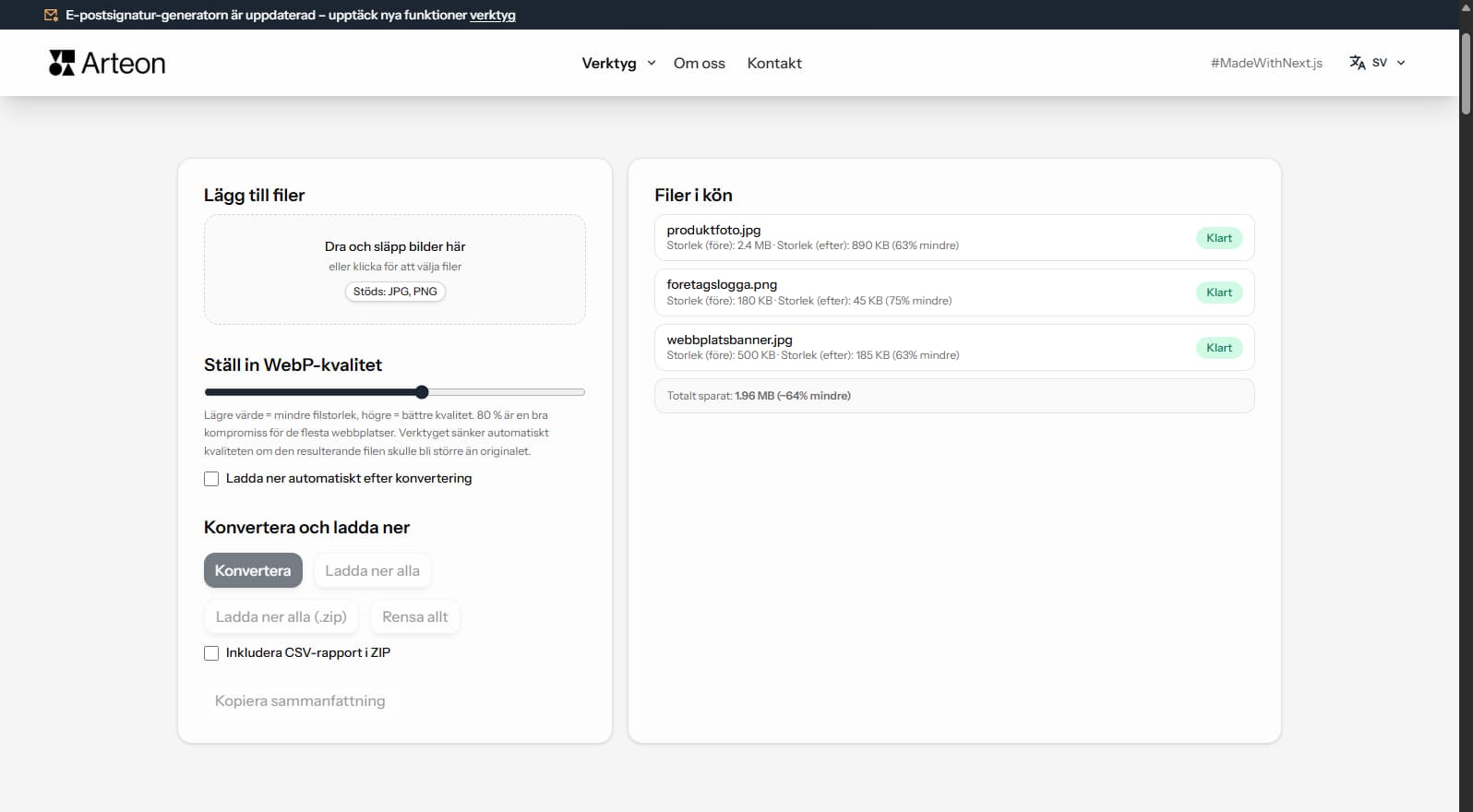
Besparingarna beror pa filtyp och komprimering:
Kamerafoto
2.4 MB → 890 KB
Produktbild
500 KB → 185 KB
Skarmavbild / banner
350 KB → 230 KB
Faktiska besparingar varierar beroende pa innehall och installningar.
While WebP to PDF conversion creates documents rather than web images, PDF file size affects the user experience when PDFs are shared or downloaded from websites. Large PDFs frustrate users and increase bounce rates.
The converter optimizes PDF output to balance quality and size. WebP images are already compressed, so the resulting PDF will be reasonably compact. A typical 10-image PDF from WebP sources will be approximately 5–15 MB.
If you need to display images on a web page rather than in a PDF, keep them as WebP — it’s already the optimal format for web delivery.
Ja, denna konverterare är helt gratis och utan begränsningar. Ingen registrering, inga vattenstämplar.
Nej. All bearbetning sker lokalt i din webbläsare. Dina filer lämnar aldrig din enhet.
Ja, konverteraren stöder batchkonvertering.
Ja, den fungerar på alla enheter med en modern webbläsare.
Ja. Allt sker lokalt i webblasaren via Canvas API. Inget skickas till servrar.
Ja. Batchkonvertering utan begransning. Dra filer till konverteringsomradet.
PDF stods av Chrome, Firefox, Safari, Edge och Opera.
Har du en idé, hittat en bugg eller vill föreslå något? Skicka oss ett meddelande – vi svarar inom 24 timmar.

Ändra storlek, beskär och konvertera din bild. Färdiga format för sociala medier, runda avatarer, export JPG/PNG/WebP.

Kontrollera titel- och beskrivningslängd i pixlar. Live Google-förhandsgranskning och optimeringstips.
Konvertera PNG-filer till JPG i webbläsaren. Utan begränsning, utan registrering.

Skapa en komplett favicon.ico-uppsättning för din webbplats från en bild. Alla nödvändiga storlekar, utan inloggning.

Generera 9 paletter från en färg: monokromatisk, komplementär, triadisk och fler. HEX-koder.

Kontrollera text- och bakgrundskontrast enligt WCAG 2.1 AA och AAA. Automatisk färgkorrigering.

Skapa en QR-kod för webbplats, vCard-visitkort eller utskrift. Export PNG och SVG, utan registrering.

Räkna ord, tecken, meningar och lästid. Ändra versaler och formatera text med ett klick.